How to Merge PDF Files Free Online
Published June 5, 2026
Need to combine multiple PDF files into one document? Learn how to merge PDF files free online using simple and secure tools. This guide walks you through the process step by step, helping you organize documents, save time, and create a single PDF without installing any software.
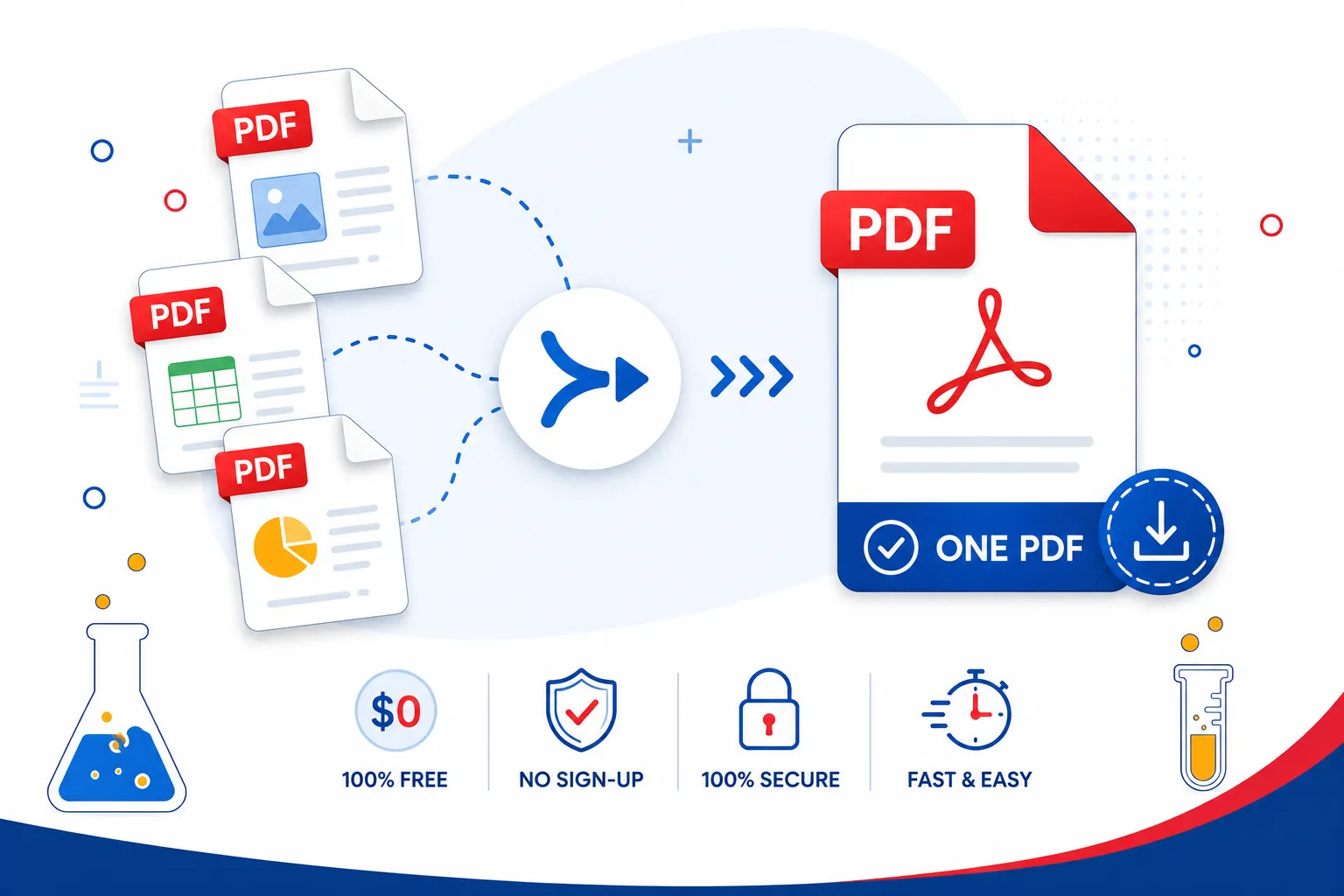
Whether you're a student combining study notes, a professional assembling a report, or a freelancer sending a portfolio, knowing how to merge PDF files quickly and for free is an essential digital skill. In this guide, we walk you through everything: why merging PDFs matters, which tools work best, and exactly how to do it in seconds using SmartPDFLab's free PDF merger.
What Does It Mean to Merge PDF Files?
A PDF merge is the process of combining two or more PDF documents into a single unified file. Instead of sending five separate attachments, you send one clean, organized PDF. This is commonly needed for:
Combining scanned documents into one file
Merging invoices or receipts for bookkeeping
Assembling chapters or reports into a final document
Grouping application materials (CV, cover letter, certificates)
When you merge PDF documents, the page order, fonts, images, and formatting of each original file are preserved, nothing gets distorted or lost.
Why Use a Free Online PDF Merger?
In the past, merging PDFs required expensive desktop software like Adobe Acrobat. Today, a reliable free PDF merger online does the job in your browser: no installation, no subscription, no hassle.
Here's why thousands of users choose online tools:
No software to install works on Windows, Mac, Linux, iOS, and Android
Completely free no hidden costs or paywalls for basic merging
Fast and easy drag, drop, and merge in under a minute
Secure reputable tools encrypt your files and delete them after processing
Accessible anywhere use it on any device with a browser
If you're looking for a merge PDF free solution that checks all these boxes, SmartPDFLab is built exactly for that purpose.
How to Merge PDF Files Free Online: Step-by-Step
Using SmartPDFLab's PDF merger, you can merge PDF online free in just a few clicks. Here's how:
Step 1: Open the PDF Merge Tool
Visit smartpdflab.com and select the Merge PDF tool from the homepage. No account or sign-up is required.
Step 2: Upload Your PDF Files
Click the "Choose Files" button or simply drag and drop your PDFs into the upload area. You can add as many files as you need. The tool also supports uploading from Google Drive and Dropbox for added convenience.
Step 3: Arrange the Page Order
Once your files are uploaded, you'll see a preview of each document. Drag and drop them into the exact order you want them to appear in the final merged file. This is especially useful when you're doing a PDF doc merge with multiple chapters or sections.
Step 4: Click "Merge PDF"
Hit the Merge button. The tool will combine all your documents instantly. For most files, this takes just a few seconds.
Step 5: Download Your Merged PDF
Once the PDF merge free process is complete, click Download to save your file. Your merged PDF is ready to share, print, or store.
Pro Tip: If you only need to combine specific pages rather than entire documents, look for the free PDF page merge option which lets you select individual pages from multiple files before merging.
Key Features of a Good PDF Merger Free Tool
Not all PDF mergers are created equal. When choosing a free PDF merger, here's what to look for:
No File Quality Loss
A good PDF merge freeware tool preserves original quality text stays sharp, images remain clear, and formatting holds. SmartPDFLab merges files without any compression or degradation.
Privacy and Security
Your documents may contain sensitive information. Look for tools that use SSL/TLS encryption during upload and automatically delete files from the server after processing. SmartPDFLab does not store your files after the session ends.
No Sign-Up Required
The best merge PDF online free tools don't require an email or account. Just upload, merge, and download.
Multi-Format Support
Beyond PDFs, many users want to combine Word documents, images (JPG, PNG), or PowerPoint files into one PDF. SmartPDFLab supports multiple input formats for a seamless pdf merge experience.
Mobile-Friendly Interface
A truly free pdf merger should work on smartphones and tablets, not just desktops. SmartPDFLab is fully responsive and works on all screen sizes.
SmartPDFLab vs Other PDF Merge Tools
There are several well-known tools in this space. Here's how they generally compare:
iLovePDF popular and versatile, but has daily usage limits on the free plan
PDF24 solid free tool but requires more steps; desktop app needed for some features
Smallpdf clean interface, but free users face operation caps
Adobe Acrobat Online trusted but requires sign-in and limits free merges
SmartPDFLab stands out by offering a truly merge PDF free experience with no daily caps, no mandatory registration, and no watermarks on your output. It's built for users who want simplicity without compromise.
Tips for Getting the Best Results When Merging PDFs
Before you merge pdf files free, keep these best practices in mind:
Organize your files first. Rename your PDFs (e.g., "01_intro.pdf", "02_chapter.pdf") so they upload in the right order automatically.
Check file sizes. Large files can slow processing. If possible, compress your PDFs before merging to keep the final document lean.
Review before downloading. Use the preview feature to double-check page order before finalizing the merge.
Use descriptive file names. After merging, renaming your output file clearly "Project_Report_Final.pdf" is far better than "merged_output.pdf".
Clear sensitive metadata. If you're sharing the merged PDF externally, consider removing document metadata for privacy.
Frequently Asked Questions
Is it safe to merge PDFs online?
Yes, as long as you use a reputable tool. SmartPDFLab uses encrypted connections and deletes uploaded files automatically after processing. For extra-sensitive documents, always verify the tool's privacy policy before uploading.
Can I merge more than two PDFs at once?
Absolutely. Most pdf merge free tools, including SmartPDFLab, allow you to upload and combine as many PDFs as you need in one go.
Will merging PDFs reduce their quality?
No. A proper pdf merger free tool preserves original resolution, fonts, and formatting. Merging is different from compressing your document quality stays intact.
Do I need to install any software?
Not at all. SmartPDFLab is a fully browser-based tool. Just visit the site and start merging no downloads or installations needed.
Is SmartPDFLab's PDF merger really free?
Yes, The core merge PDF online free function is completely free to use. No subscription is required for standard PDF merging.
Final Thoughts
Merging PDFs doesn't have to be complicated or expensive. With the right free pdf merger, you can combine any number of documents in seconds from anywhere, on any device. Whether it's a quick pdf doc merge for a client or a large-scale merge pdf files free project, SmartPDFLab gives you a fast, secure, and genuinely free solution.
Ready to merge your PDFs? Try SmartPDFLab's Free PDF Merger Now