How to Merge Files into One PDF (Free, No Sign-Up)
Published July 20, 2026
Merge files into one PDF free in three steps. No software install, no sign-up, works on any device. Plus the best free and paid tools compared.
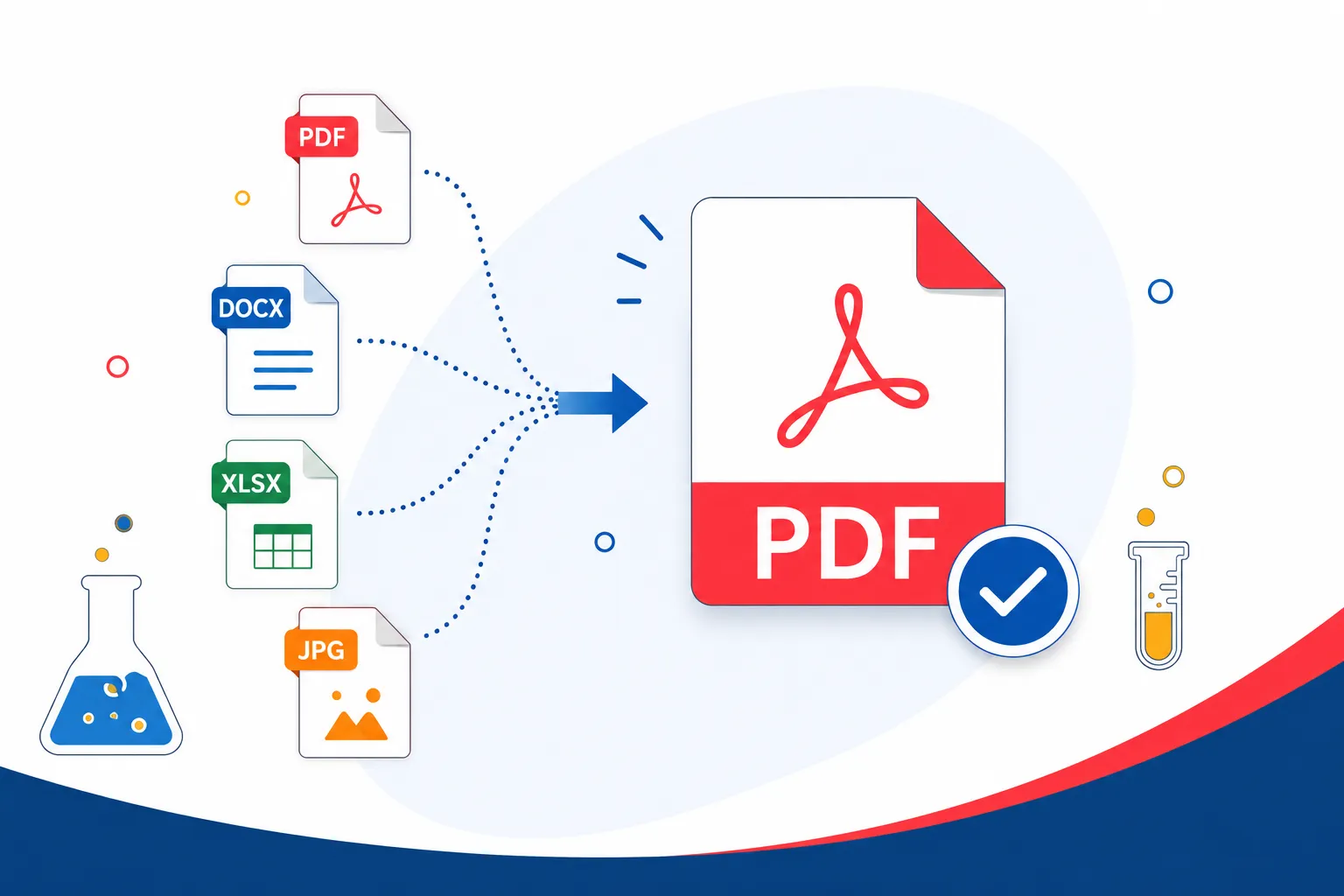
Merge PDF free on your browser in 3 simple steps. No installation required and no-account creation. The quickest solution is the free web-based tool, Smart PDF Lab that combines documents within seconds. This guide runs through those steps; answers the safety questions most people actually ask and recommends the best free and paid tools to save you elbow grease.
Merge Files into One PDF in 3 Steps
Combining PDF is complicated: not any more Below, you can find how to do it in less than a minute.
Upload your files Go to a free tool like Smart PDF Lab and select the PDFs you want to merge. Since most of the tools allow you to directly drag files from your computer or mobile, you do not have to install anything first.
Drag to rearrange Once your files have been uploaded, drag them into the order you want. More than you think, this step plays an important role. For example, file merging with pages that will order is unprofessional for job applications or a legal process.
Merge and Download Click the merge button, and your newly combined PDF downloads immediately. That's it. Zero sign-up screen, zero email confirmation, No waiting.
This works well as an example here because Smart PDF Lab does not just focus on PDFs. It also supports Word documents, JPGs and PNGs allowing you to combine a scanned photo ID with a Word cover letter and PDF resume in one file. This is what powerful tools such as Combine PDF and Smallpdf promote, but in this case, they don't require a sign-up first.
Why Merge PDFs Instead of Sending Separate Files
Sending ten different attachments is messy. Opening files out of sequence. One gets missed. A recruiter or clerk has to grapple with many windows instead of scrolling through a single clean document.
Merging solves this instantly. A few real examples:
In legal filings, you are often required to have every exhibit and every form in one PDF, in the correct order.
Cover letter, resume and references are better when sent as one file.
Grading and tracking student submissions is simpler with one document combining assignments and cover sheets.
Chances are you know why if you're even looking up how to merge PDFs. The point is simple, one file is easier to send, open, and keep track of than ten.
And there's also a practical reason people tend not to consider: file management. It is far easier to name, save and locate a single merged PDF later. Rather than rummaging through a downloads folder filled with "scan1", "scan2" and "final_final," you get one neatly named document, which can be found in seconds. This means over your average year this tiny habit saves real time for anyone who frequently has to submit paperwork, whether monthly invoices or many repeat job applications.
Can You Merge PDFs Without Installing Software?
Yes. No need to have Adobe Acrobat or any desktop program to combine PDF. Browser-based tools process everything via your network connection, not your computer storage and processor.
Here's when each option is sensible
Take advantage of an online tool for everyday merges: reports, forms, applications and anything that is not highly confidential.
Some examples include offline software for working with sensitive files, such as medical records or unreleased contracts for which you'd rather upload nothing to the internet at all.
Then, for most people, for most of the time, online tools are faster and equally reliable. The requirement for desktop software arises only when confidentiality rules require it.
A common misconception to debunk: online tools are not inherently less secure than desktop ones. The only real difference is on where the processing takes place. Desktop software works on files locally, which means nothing goes through the internet in the first place. These online tools upload files onto a server temporarily, process it and return the output to you. So, if this server uses encryption and deletes files afterwards, then the risk is minimal for the vast majority of ordinary documents such as resumes, reports and forms.
Is It Safe to Merge PDFs Online?
This is the question that almost all guides skip, but it matters a lot. Before you upload anything, here's what to verify.
Look for HTTPS. When you connect with a secure connection your files are encrypted while they upload and download meaning they cannot be intercepted in transit.
Check for auto-delete. Smart PDF Lab and the likes offer secure tools which erase uploaded files from the servers after a short time typically within an hour. Your documents aren't stored indefinitely.
Avoid merging with tools that force easy sign up to start using it. If a tool wants you to create an account before you can merge 2 files, then it is usually gathering information far beyond what's necessary.
For example, if you are dealing with signed contracts or financial statements that are sensitive in nature, stay with tools that have a clear privacy policy specifying they delete the files after processing. That policy should be easy to locate if not, that's a bad sign.
Best Software for Merging PDF Files (Free and Paid)
You don’t use a hammer where a screwdriver is needed. Well, here are five completely trustworthy choices for you and a pretty straightforward side-to-side comparison.
Tool - Type - Best For - Cost
Smart PDF Lab - Free, browser - Everyday merging, no sign-up, OCR included - Free
Adobe Acrobat - Paid, desktop - Advanced editing, enterprise use - Paid
iLovePDF - Free/paid, browser - Quick online merges - Freemium
Smallpdf - Freemium, browser - Occasional use - Freemium
PDFsam - Free, desktop Offline, - confidential files - Free
Unlike its competitors, Smart PDF Lab includes OCR, which converts scanned text to searchable text automatically and forgoes the sign-up step which makes it ideal for casual and repeat use. This is important if you want to combine scanned documents, because it will keep the final PDF searchable instead of a flat image.
Adobe Acrobat is the better fit for teams that require renown editing tools such as redacting PII and adding digital signatures across data sets. It's more expensive, but the extra tools will come in handy for companies that process contract and compliance documents on a daily basis.
Both iLovePDF and Smallpdf are suitable for quick, casual merges. Their free tiers include simple merging; however, they may restrict the maximum file size or daily usage unless you sign up for a paid plan.
If your files can't so much as leave your computer, PDFsam is well worth installing. Because it runs locally, there is no upload step or server involved at all, a big win for anyone with strict confidentiality requirements.
Which PDF Merger Fits Your Situation?
Students: You need just a free browser extension like Smart PDF Lab for joining related tasks, cover sheet and scanned oriented tasks.
Business users: Routine merges such as merging reports or invoices could be done in iLovePDF or Smallpdf without any fees.
For Legal: When documents require strict formatting, redaction or e-signatures, Adobe Acrobat has extensive advanced tools that can justify the cost.
Freelancers: An online tool that's free to use covers most functions, whether it's melding proposals or putting portfolios together, with no extra expense in software.
Merging Problems Most Guides Don't Solve
However, there are situations that trip up more people than the very basic merge steps do. Here's how to handle them.
Merging password-protected PDFs. Directly merging the locked file is too tricky. If you encounter a locked PDF, just unlock it first with a tool like Unlock PDF, and then combine it as you typically do.
What happens to bookmarks and hyperlinks. This also applies to links that are clickable in the original files (not all merge tools keep this). Louder internal table of contents in your PDF, if you have it, please verify the merged file after that to make sure links still are working.)
Mixed page sizes. Integration of an A4 page and US Letter aggregation document is a thing. Because most tools preserve each page according to its native size without forcing a match, the merged file may consist of pages which all have slightly different dimensions all throughout. This is how it has to be, and won't affect printing on most home or office printers, but do pay attention to printers that scale pages to fit by default, some of such shrink some pages a bit or enlarge them. Always check your printer's scale setting before printing a doc of mixed dimensions in order to avoid this drawback.
Keeping the merged file small. Because of that, merging multiple PDF files together (including images) creates a massive file and is difficult to send by email. Using a tool such as Compress PDF to run the finished file through this reduces the size of the file while keeping it readable.
Frequently Asked Questions
Can I combine PDFs online without downloading software?
Yes. We've combined editing here with free browser-based tools that leverage your internet connection to merge PDFs so there's nothing to download or install.
Is online PDF merging safe?
As long as it utilises HTTPS encryption and deleted uploaded files post-processing, it's safe. If you are not sure, scan the privacy policy.
Can I merge PDFs on my phone?
Yes. Most online merge tools including Smart PDF Lab operate entirely in a mobile browser, which means you don’t have to download an app.
Which PDF merger has no file size limit?
Unlike web-based PDF shufflers, desktop apps like PDFsam have zero upload limits, as your files never even leave your device. Different online tools have different limits, so before uploading a very large file always check the limits set for each tool.
Does merging reduce PDF quality?
No, merging just merges pages it does not compress/re-render them so quality stays the same as the originals.
Can I merge Word or JPG files into a PDF too?
Yes, with tools such as Smart PDF Lab. It automatically converts Word documents and image files to PDF format during the merge process, or you can convert them separately first using Word to PDF or JPG to PDF.
Does Smart PDF Lab store uploaded files?
No. Files are automatically deleted from the server after processing, so nothing is stored long-term.
Ready to combine your files? Combine your PDFs and get a single clean document in no time.
Similar tools: PDF Merger · PDF Compress · PDF Splitter · PDF Rotator · JPG to PDF Converter · Word to PDF Converter